Password Manager is a complete, browser-integrated password generator and manager built as a Chrome extension. Unlike a standalone web tool, it works live on every website you visit — detecting password fields automatically and placing an elegant floating control panel right next to them, so you never have to leave the page to create, fill, or save a password. Everything runs locally inside your browser, and nothing is ever sent to a server.
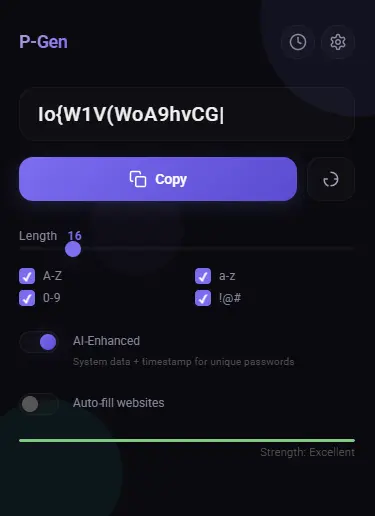
What makes Password Manager truly advanced is its multi-mode generation engine combined with an optional AI-Enhanced mode that mixes system data (user agent, screen size, timezone, timestamp) with SHA-256 hashing to produce unique, hard-to-reverse passwords. The live strength meter appears as a message-box style floating panel with smooth animations, showing the strength label, a color-coded progress bar, and two quick-action buttons — Generate & Fill and Copy — all styled with your chosen color palette.
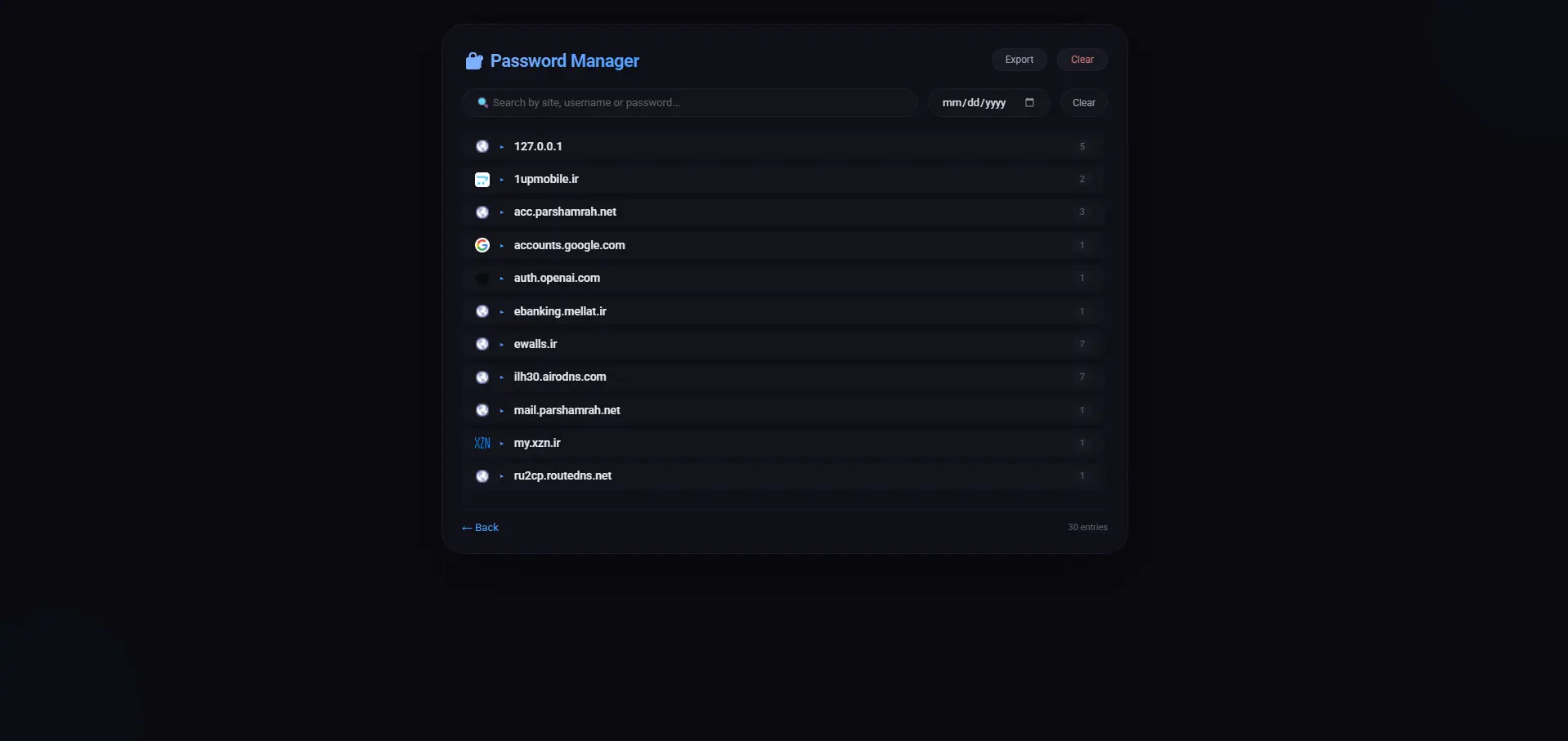
Password Manager is also a full-featured manager. Every password you copy is automatically saved to a local history, grouped by website with favicons, searchable by site, username, or password, and filterable by date. You can expand and collapse site groups, copy or delete individual entries, export your entire history as JSON, and clear everything with one click. The dedicated Manager page matches the extension’s glassmorphism design and supports both English and Persian (RTL) layouts.
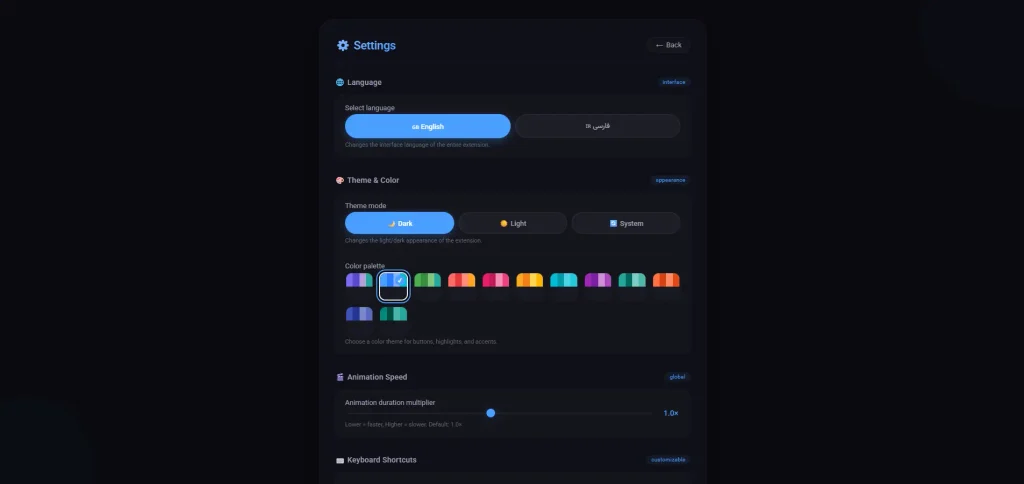
Personalization is at the heart of Password Manager. Choose from 12 beautiful color palettes (Default, Ocean, Forest, Sunset, Rose, Gold, Cyan, Lavender, Mint, Coral, Indigo, Teal), switch between Dark, Light, or System themes, adjust the global animation speed, and even customize every keyboard shortcut (Ctrl+Shift+G to generate, Ctrl+Shift+C to copy, Ctrl+Shift+M for the manager, Ctrl+Shift+S for settings, Ctrl+Shift+A for AI mode, and Ctrl+Shift+F for auto-fill). A built-in Virtual Tour walks you through every feature step by step, and all preferences sync instantly across the popup, options page, manager, and content script.
Password Manager is more than a generator — it’s a complete, always-on companion: a live, site-aware, bilingual, beautifully themed password ecosystem that lives exactly where you type your passwords. It’s secure, it’s fast, it’s private, and it’s built to make strong password habits effortless.
🔐 PGEN — Generator Pro
What led us to consider this product?
Read more about the initial version and concept of this product.


Ask a question or leave a comment